
Hello. I am JustTekno Asistan. Ask about JustTekno products, licensing, labeling, Parkur systems or request sourced web research.
PRODUCT UPDATE · 8 AUGUST 2026
Production records, product identity and field decisions survive connection changes.
The current delivery brings together the encrypted Server Panel outbox, independent Standalone/Server Line V2 licences, reject reconciliation and authorized mobile operations.

Verified delivery checks
One update, twelve verified gains.
Each feature reduces ambiguity in a real production workflow and puts the right decision in front of the user at the right time.
Encrypted offline work queue
When the central API is unavailable, work from an authorized session waits durably in an AES-GCM encrypted SQLite/WAL queue whose key is protected by Windows.
Restart durability
Pending work, its payload digest and immutable operation identity survive a Panel, Planner or computer restart.
Idempotent synchronization
When connectivity returns, the same OperationId creates only one work order and one assignment on the VPS.
Independent V2 line licences
Standalone Line and Server Line remain isolated by LicenseId, EntitlementId, ProductId and installation identities.
Three independent Windows packages
Server Panel, Server Line and Standalone Line each have their own installer. One package never installs either of the other products; the retired combined public channel remains closed.
Job-specific emergency code
A six-digit code is generated for each assignment and is valid only for the correct job, line, assignment and action scope.
Reject and raw-code reconciliation
No raw code is loaded until labelled rejected products have been checked and physical stock matches digital records.
Optional Modbus timing
Label, camera and reject delays are verified when configured; an unconfigured PLC/Modbus layer does not break normal line operation.
Hourly live production report
Read products, completed cases/pallets, invalid codes, codes missing from the list and pending rejects are shown in hourly report cards.
RUS code data mapping
Product and case rows in the same file are classified; users can verify or correct the assignment in bulk.
Safe Türkiye ITS validation
AI (01), AI (21), AI (17) and AI (10) pass the same central preflight; production and deactivation queues keep error classes separate.
Windows, S23 and VPS acceptance
Real Windows installations, physical Samsung S23 licence approval and the unique VPS MySQL record were verified in one acceptance chain.
OPERATIONAL COMMUNICATION
Notes, chat and activity history meet in the same work order.
A planner does more than send a message: the message is tied to the correct line and work order. Operator replies, mobile visibility and the permanent activity record remain in the same operational context.
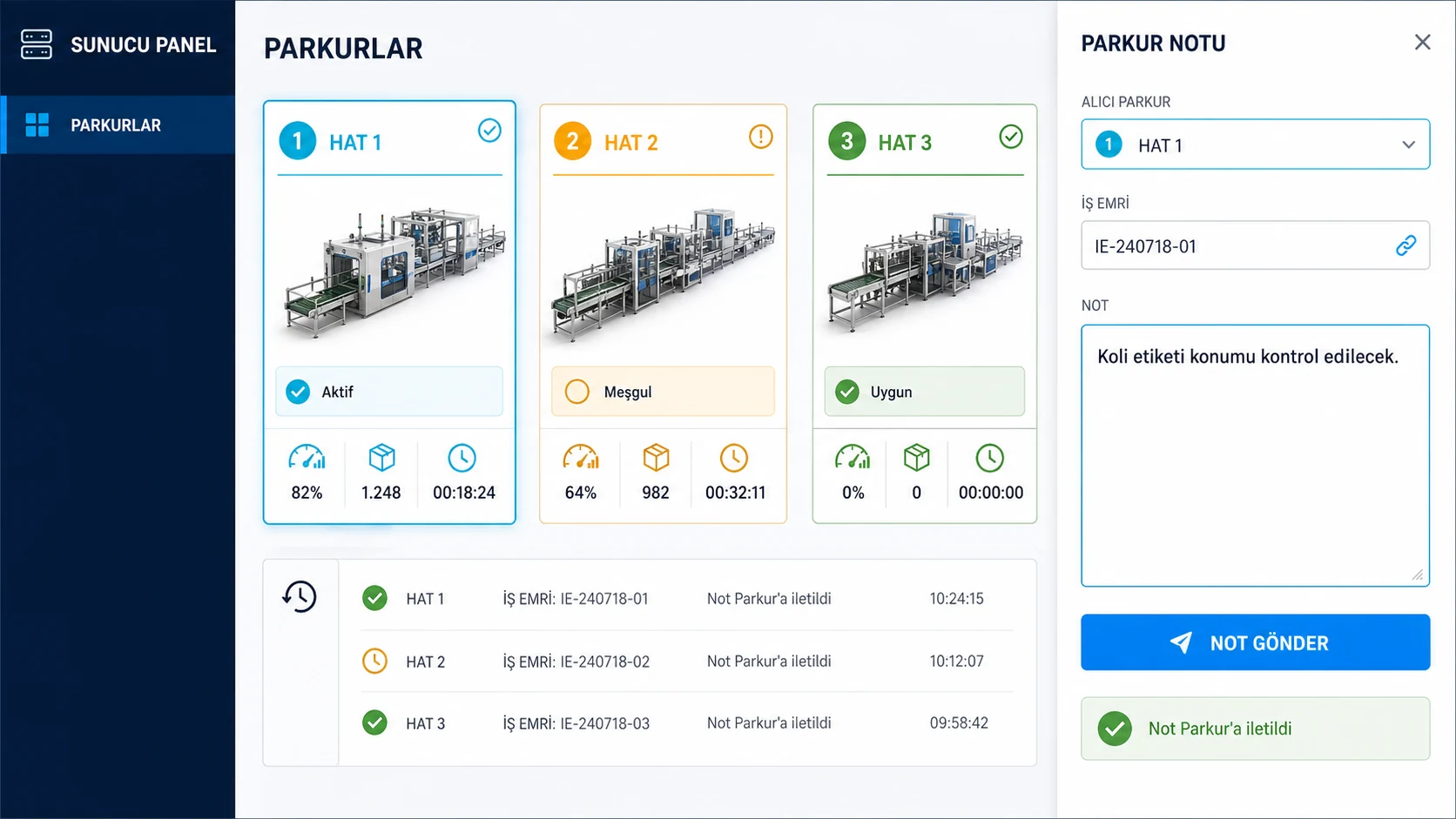
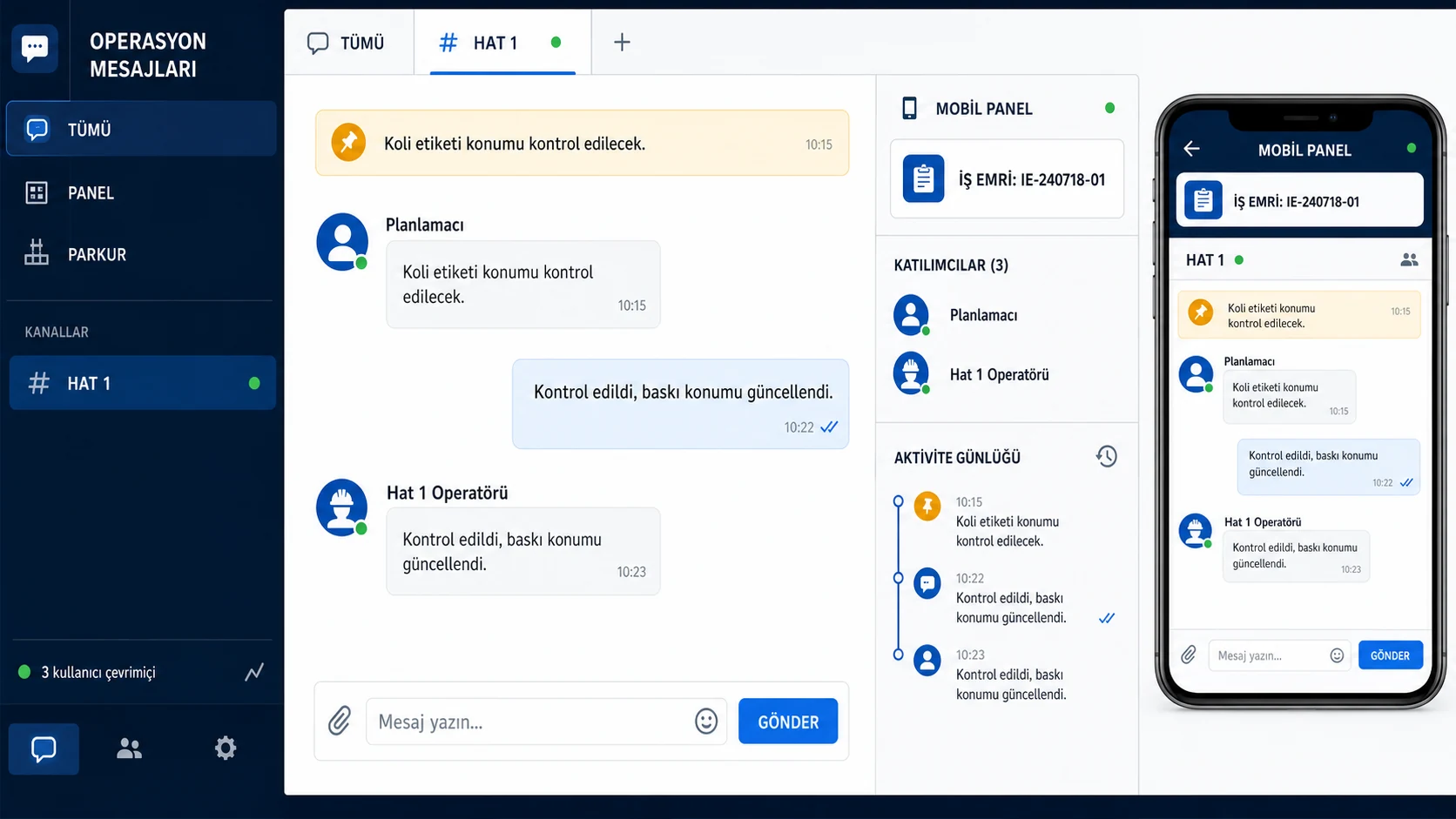
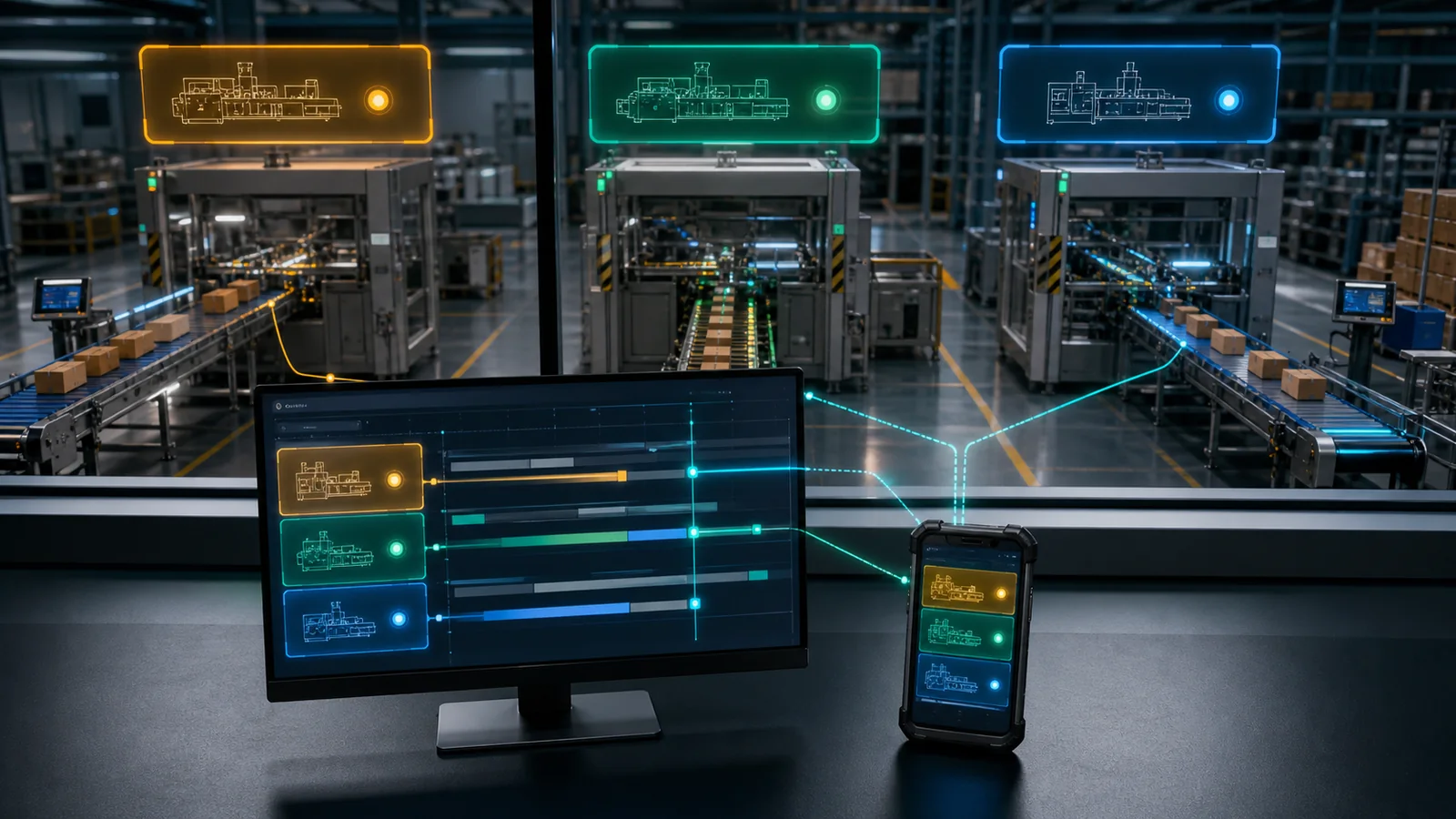
LIVE COORDINATIONServer PanelPlans, authorizes and verifies. Mobile PanelCarries the same live state to the field. Production LineExecutes, shows notes and logs activity.
Planner, Mobile Panel and Lines see the same operational truth.
Presence, messages, line notes, reservations and print settings meet around the work order, preventing two planners from unknowingly loading the same line.
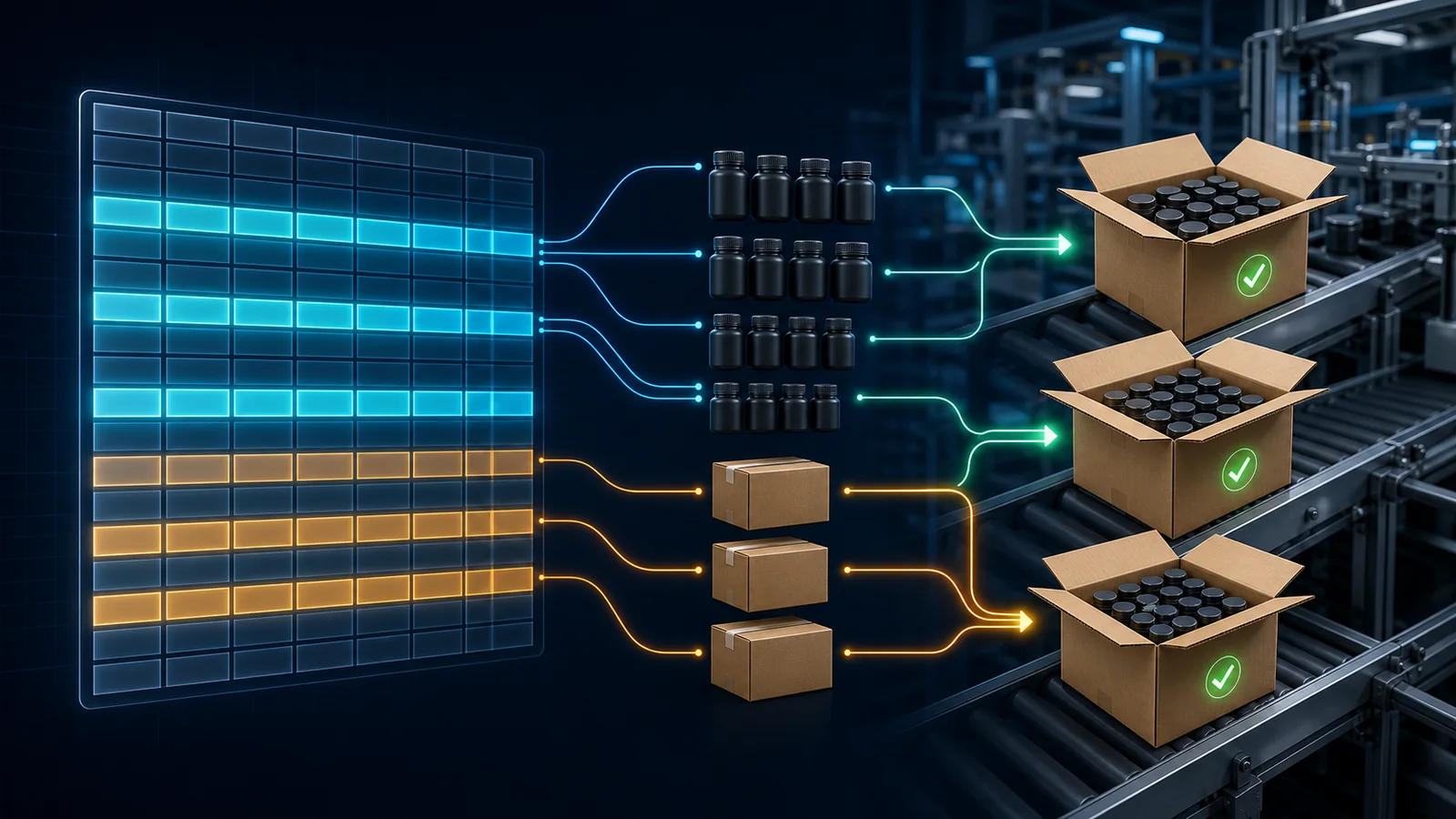
RUS CODE · RUS FLOW ONLY
When product and box codes share one file, the system detects first and the user verifies.
CSV, TXT and XLSX rows are inspected and classified with a confidence score. Users can correct selected rows as Product or Box. The Türkiye İTS workflow is not affected.
- Load the file
- Preview columns and rows
- Review automatic classification
- Correct Product / Box assignment
- Verify box capacity and relations
- Create the job safely
The same behavior across three surfaces.
Server Panel, Mobile Panel and Single Line are separate applications but share the same contracts for work orders, permissions, notes, reservations and print settings.
Let us evaluate these capabilities on your own line.
We can review your data formats, number of lines and production model to define the right deployment workflow.